

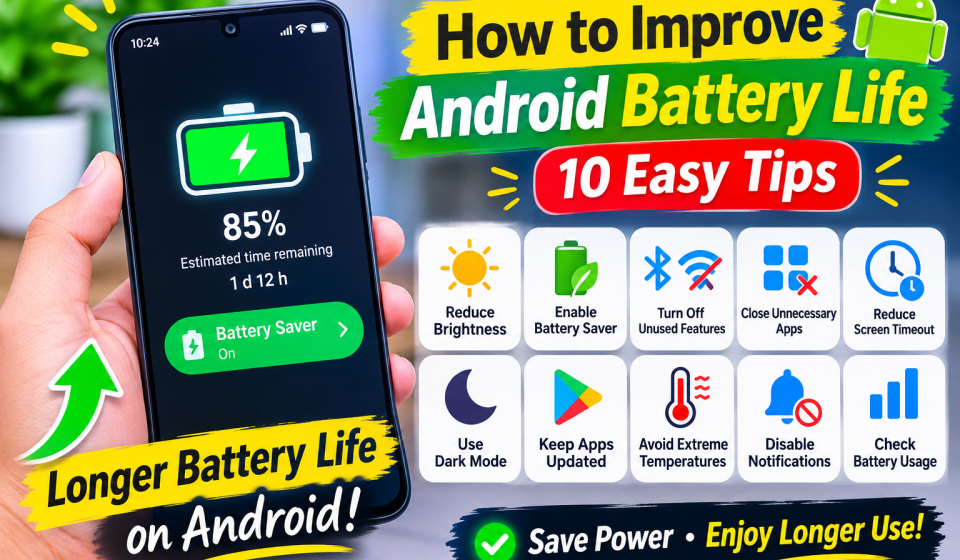

How to Improve Android Battery Life: 10 Easy Tips.
Every Android phone has become an important part of our lives. We use Android for browsing chatting watching videos, playing https://thetechupdateblog.com/how-to-improve-a…ife-10-easy-tips/, and lots more. Yet, one of the major issues with Android phones is the fast battery life drain. If your Android battery life does not work out for long, then there is no need to buy a new phone, and there are some ways to improve Android battery life.
1. Reduce Screen Brightness
Your phone’s screen consumes a large portion of battery power. Keeping the brightness at a high level can quickly drain your battery. Lower the screen brightness or turn on adaptive brightness to conserve energy.
2. Enable Battery Saver Mode
Most Android phones come with a Battery Saver option to help save power. It does things like restrict background data and several features of the phone. Turn this on when your battery gets low.
3. Turn Off Unused Features
Bluetooth GPS Wi-Fi, mobile hot spots these can drain battery when turned on. Switch them off when you don’t need them.
4. Close Unnecessary Background Apps
When not using apps, some of them keep running in the background. Review your battery settings to determine the applications that drain your battery too fast. Disable background activity for applications that you very rarely use.
5. Reduce Screen Timeout
The phone screen time out time is too high a high screen time out time keeps your phone screen on even when you are not using your device. You can configure your phone screen timeout time to 15 or 30 seconds to save your battery.
6. Use Dark Mode
On an OLED or AMOLED MobileDokan.co
MobileDokan | Mobile Phone Price in Bangladesh 2026, try turning on Dark Mode and the light screen in battery-saving mode to see if it helps. You might also find it easier to see your phone at night if you turn on Dark Mode on your device.
7. Keep Your Apps Updated
Old applications may have performance issues, which drain the battery. Keep your apps up-to-date with Google Play Store.
8. Avoid Extreme Temperatures
Extremely high or low temperatures may have an adverse effect on your smartphone battery life. Do not leave your phone exposed to the sun or in hot places.
9. Disable Unnecessary Notifications
You wake up your screen and burn power more often if you get notifications too often. Disable notifications from apps that you don’t want to check that much.
10. Check Your Battery Usage
Android has a battery usage section that will show you what apps are draining your phone’s battery the most. Check this info often and disable or uninstall apps that are using too much battery.
Final Thoughts
How to save Your Android phone Battery LifeYou don’t need a set of costly accessories or a new device to get better battery life on your Android phone. Things like turning down your screen brightness, turning on the Battery Saver feature, closing apps when they’re not in use, and keeping your software up to date can all make your device sip power more efficiently.